Ping Overload: What Gmail, Slack, and Discord Teach Us About the Fine Line Between Useful and Unbearable
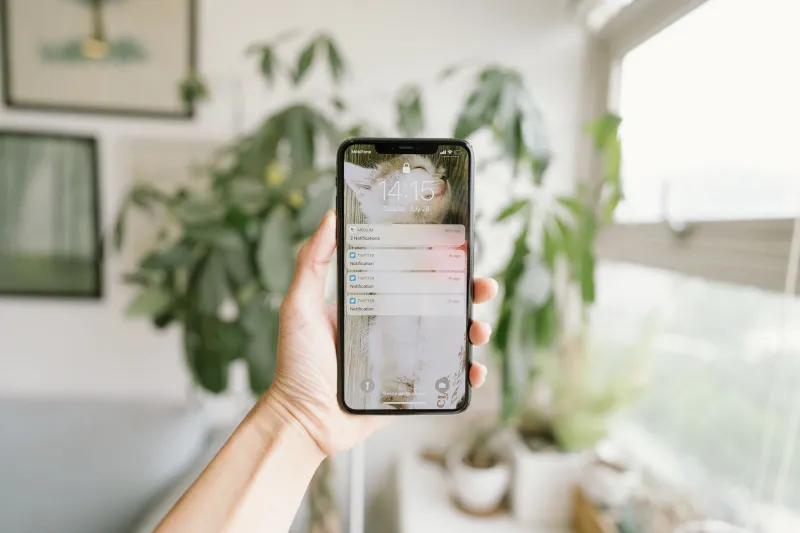
Your phone buzzes. Then again. Then three more times in a row. By the time you actually look at the screen, you've already decided you don't care. That's the paradox sitting at the center of modern notification design — and it's a problem the web's biggest platforms created for themselves.
Gmail, Slack, and Discord collectively reach hundreds of millions of users every single day. They've also, arguably, done more to condition Americans to ignore alerts than any spam filter ever could. But buried inside their missteps — and a few genuine wins — is a masterclass in what actually keeps users engaged versus what quietly drives them to the "mute" button.
The Attention Tax Nobody Agreed to Pay
Let's start with the uncomfortable truth: notifications were never designed with the user in mind. They were designed with the platform in mind. Every ping is a bid for attention, and attention translates to session time, which translates to ad revenue or subscription stickiness.
Gmail understood this early. When Google introduced promotional tab filtering back in 2013, it wasn't purely altruistic — it was a way to manage the flood without making users abandon the inbox entirely. By categorizing notifications into Primary, Social, and Promotions, Gmail essentially built a triage system. The result? Users stayed. Marketers screamed. And the inbox became slightly more livable.
That's a UX win disguised as a product decision. The key move was reducing perceived noise while keeping the underlying engagement pipeline intact. Users didn't get fewer emails — they just stopped seeing most of them at the top of their screen.
Slack's Productivity Trap
Slack is a more complicated story. When it launched, it sold itself as the email killer. And in some ways, it delivered — async communication in a workplace context genuinely improved for a lot of teams. But somewhere along the way, Slack became the thing it was supposed to replace: an always-on anxiety machine.
The platform's default notification settings are aggressive. Every channel message, every @here, every thread reply — all of it lands in your notification tray unless you go out of your way to change it. And most users never do, because configuring Slack's notification preferences requires navigating a settings menu that feels like it was designed by someone who really loves checkboxes.
What Slack gets right, though, is its Do Not Disturb feature and the concept of notification schedules. Users can set "quiet hours" that automatically suppress pings outside of work time. It's not perfect — many users don't know it exists — but it's a genuine attempt to give control back to the person on the receiving end.
The lesson here is discoverability. A great notification control system buried three menus deep might as well not exist. If you're building a platform with notification features, the settings need to surface themselves at the right moment — ideally right after a user's first "this is too much" experience.
Discord's Surprisingly Smart Chaos
Discord looks like it should be a notification nightmare. Servers with thousands of members, dozens of channels, voice chats, DMs, role pings — it's a lot. And for new users, it absolutely is overwhelming.
But Discord has quietly built one of the more sophisticated notification architectures in consumer tech. Users can mute individual channels, entire servers, or specific categories of pings. They can choose between being notified for all messages, only @mentions, or nothing at all — and these preferences sync across devices. The granularity is impressive.
More importantly, Discord made these controls feel like features rather than damage control. The mute options are front and center when you right-click a server. Suppressing a noisy channel isn't hidden — it's almost encouraged. That's a fundamental shift in philosophy: instead of maximizing notification delivery, Discord optimized for notification relevance.
The payoff? Discord's retention numbers are strong, particularly among Gen Z users who've grown up with a finely tuned sensitivity to digital noise. When users feel like they're in control of their experience, they stick around longer.
What the Data Actually Says About Notification Fatigue
Research from mobile analytics firms has consistently shown that apps sending more than five push notifications per week see measurably higher uninstall rates. The sweet spot — if there is one — tends to be between two and four per week, and only when those notifications are personalized and timely.
Personalization is the critical variable. A notification that tells you "someone replied to your comment" is useful. A notification that says "there's activity in a community you follow" is filler. The difference between those two things is the difference between a platform that feels helpful and one that feels desperate.
Gmail has leaned into this with its Smart Notifications feature on mobile, which uses machine learning to prioritize which emails actually warrant a buzz versus which ones can wait. It's not flawless, but the intent is right: let the algorithm do the triage so the user doesn't have to.
Building Smarter: Tactics for Product Teams
If you're building a product — whether it's a SaaS tool, a community platform, or an ecommerce site — here's what the big players' experiences actually translate to in practice:
Lead with opt-in, not opt-out. Defaulting users into every notification type is a short-term engagement hack that creates long-term churn. Give users a clear, simple notification setup flow at onboarding and let them choose what matters.
Surface the controls when they matter. Don't wait for a user to go hunting through settings. If someone visits your platform late at night, that's a signal. If they've been ignoring a notification type for two weeks, that's a signal. Use behavioral data to proactively offer to adjust their preferences.
Invest in notification copy. The text of a notification is a micro-UX moment. Vague, generic copy gets ignored or dismissed. Specific, timely, personalized copy gets tapped. This sounds obvious but it's consistently underprioritized.
Treat silence as a design feature. The most sophisticated platforms understand that sometimes the best notification is no notification. If a user hasn't engaged with a particular alert type in 30 days, stop sending it. Trust that relevance will do more for retention than volume ever will.
The Bigger Picture
The notification arms race of the 2010s is winding down, and the platforms that over-indexed on volume are paying for it in trust. Users are smarter, more sensitive to manipulation, and quicker to mute or uninstall than they've ever been.
Gmail, Slack, and Discord each represent a different chapter in how big platforms learned — or are still learning — that attention isn't something you can just demand. It has to be earned, repeatedly, through relevance and restraint.
For anyone building on the web right now, that's actually good news. The bar for "doing notifications well" has been set low enough by the giants that getting it right is a genuine competitive advantage. You don't need to be the loudest platform in someone's pocket. You just need to be the one they actually want to hear from.